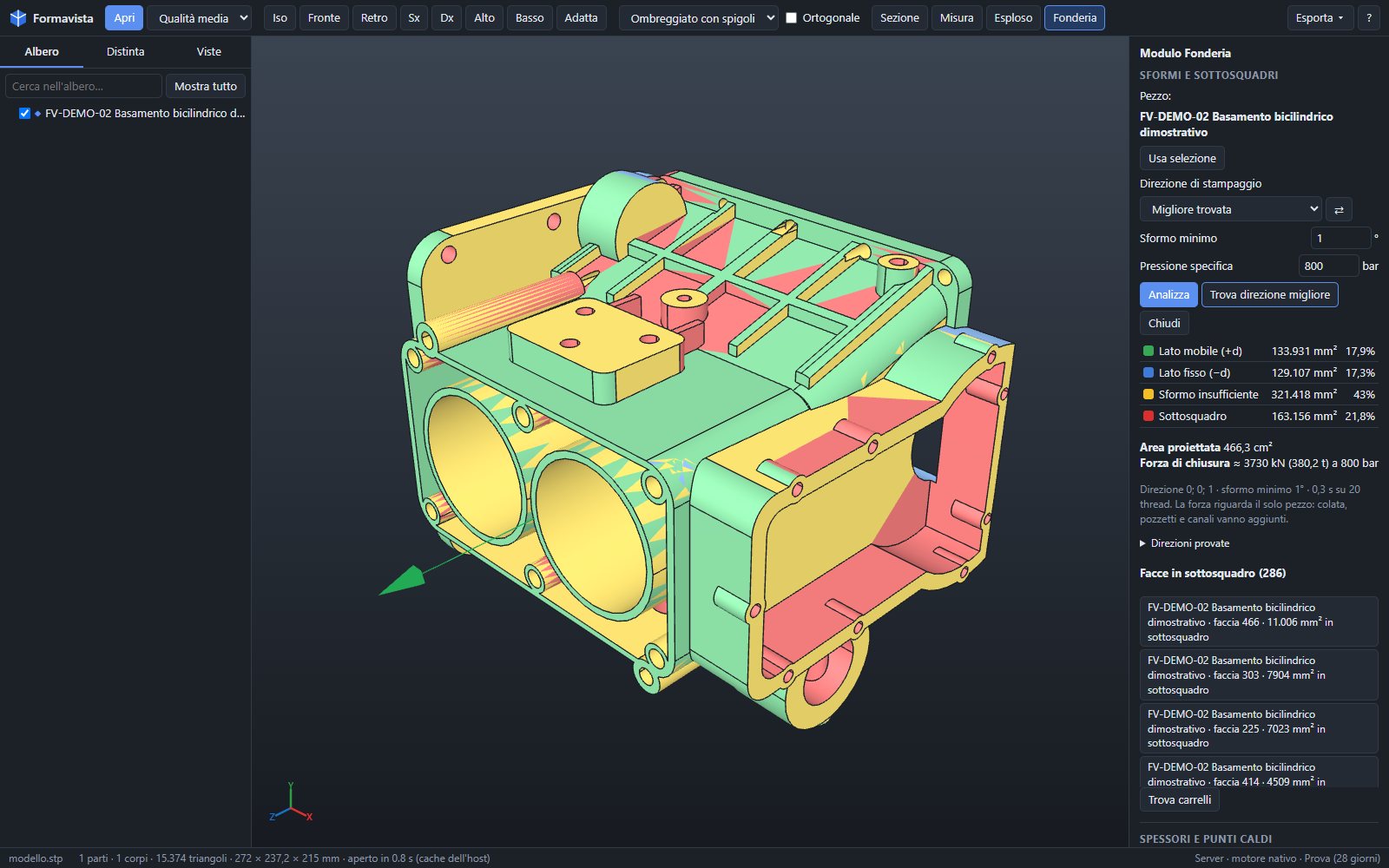
Draft and undercuts
The program finds the die opening direction. Moving half, fixed half, insufficient draft and undercuts coloured on the part, with the list of faces.
3D CAD viewer · Foundry Module
A request for quotation arrives with a 3D model. Formavista opens it in seconds and, with the Foundry Module, tells you how much the casting weighs, where slides are needed, where shrinkage porosity will form, which press it takes and what the part costs.
Your files stay on your PC or your company server: no cloud services.
Viewer · free
Engineering, quality, purchasing, production: anyone in the company can look at the customer's model without a CAD workstation.
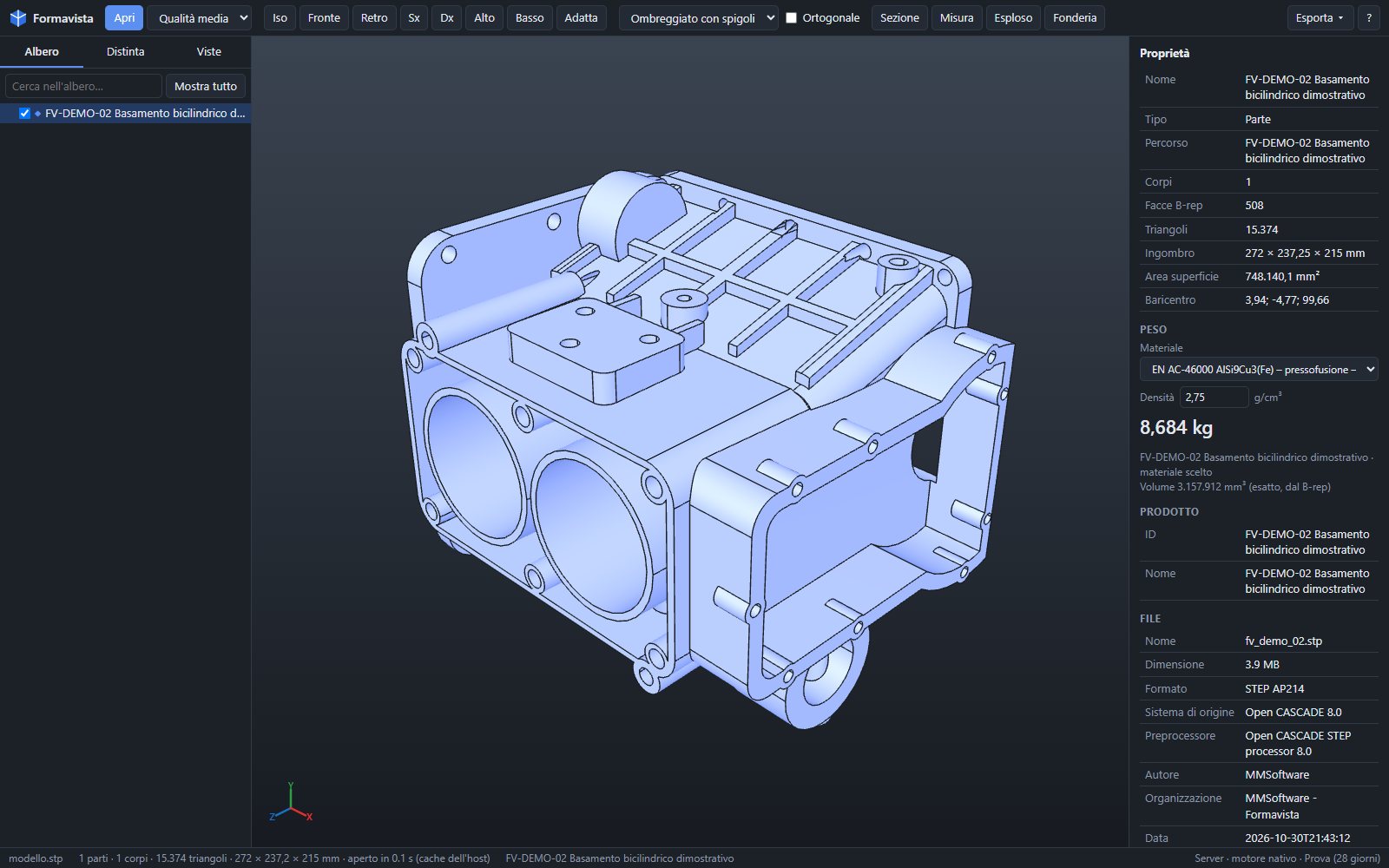
Foundry Module
Built for high-pressure die casting, gravity casting and moulding: the analyses that are usually the engineering department's job, ready while you read the request for quotation.
The program finds the die opening direction. Moving half, fixed half, insufficient draft and undercuts coloured on the part, with the list of faces.
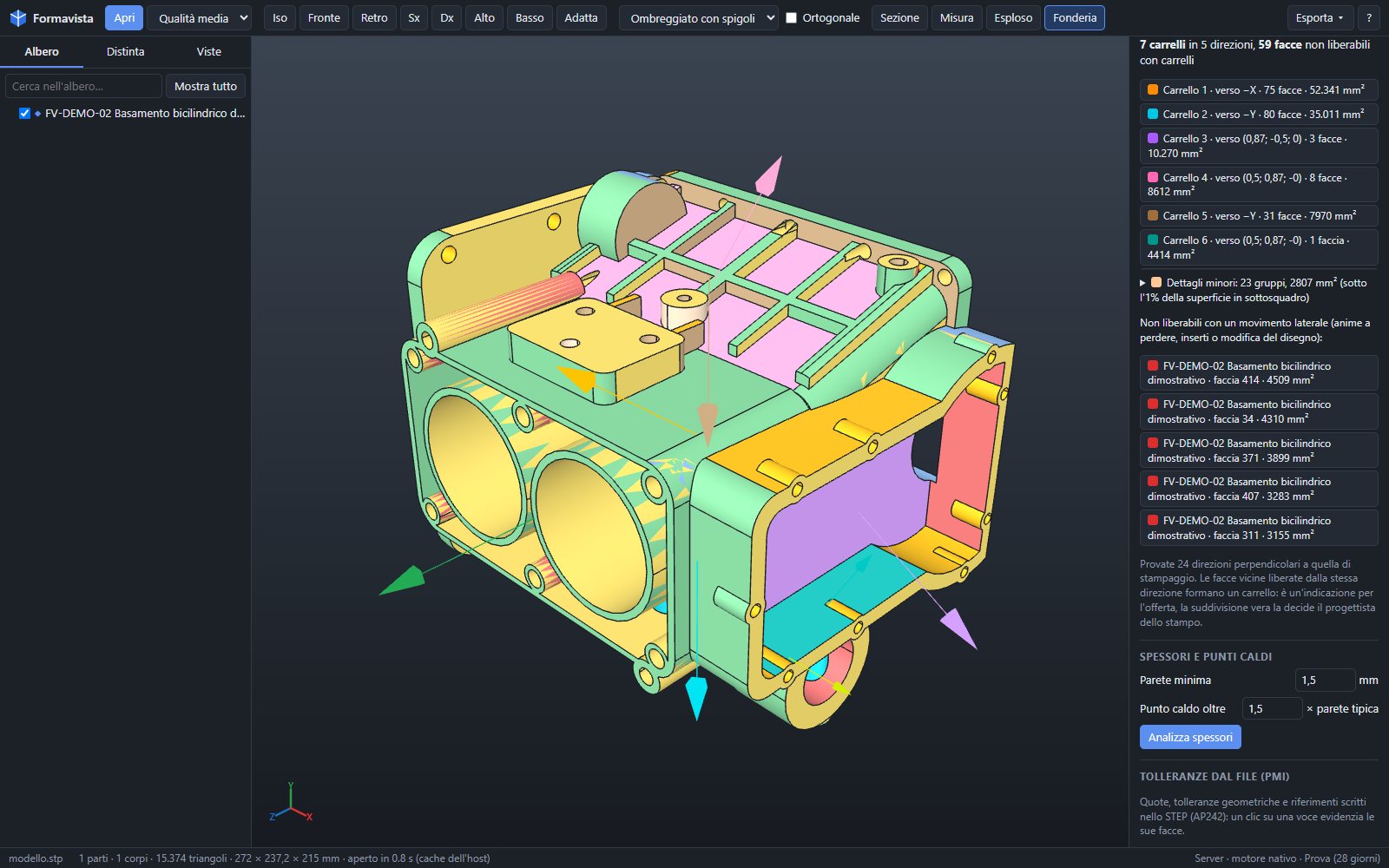
Undercuts grouped by release direction: how many slides are needed, in which direction, and which areas call for cores or inserts.
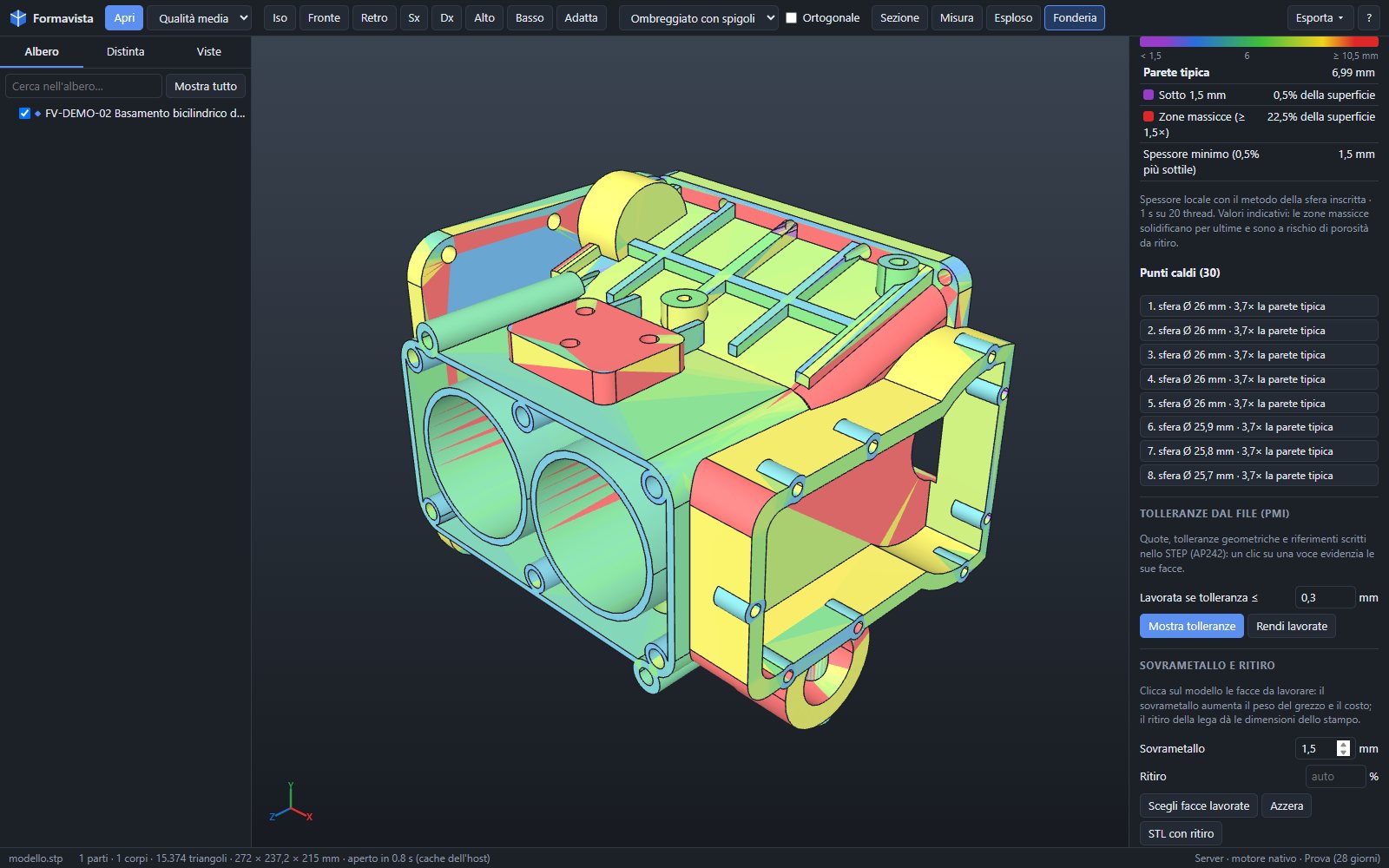
Wall thickness at every point with the inscribed-sphere method. Walls that are too thin and heavy sections, where shrinkage porosity forms.
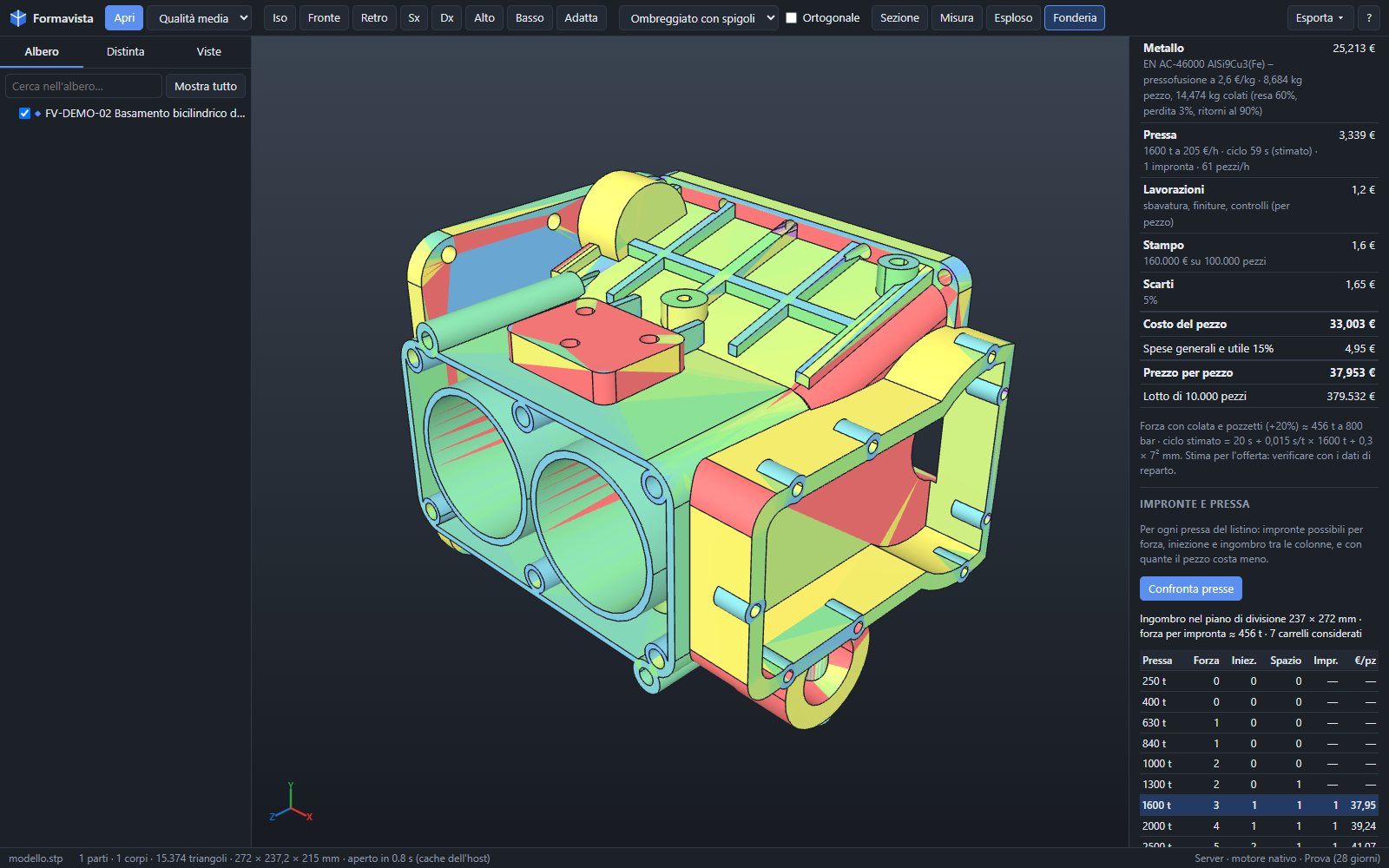
Projected area and clamping force; the possible number of cavities on each press; part cost item by item with your company's price lists.
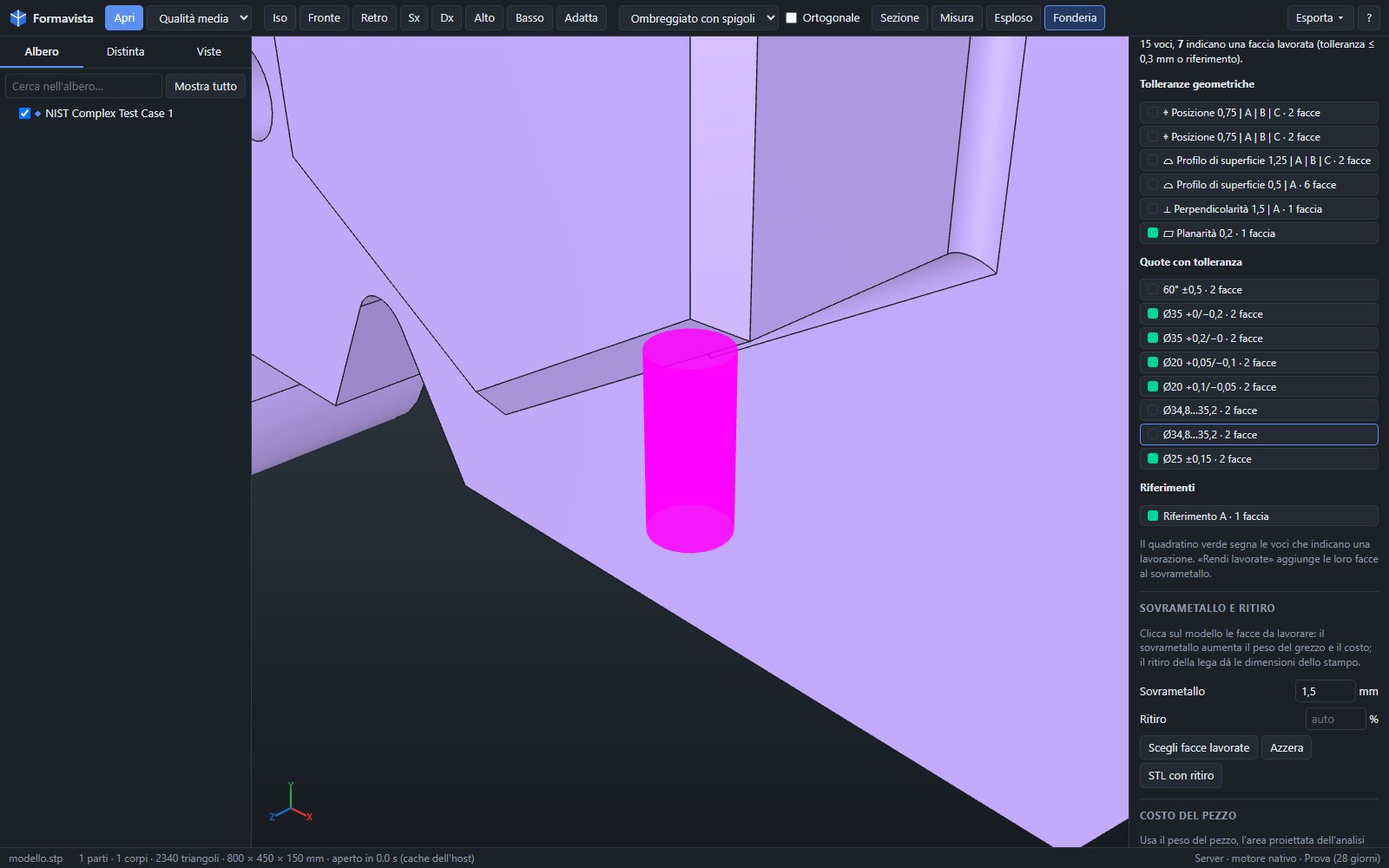
Dimensions and geometric tolerances read from STEP AP242 identify the faces to machine: rough casting weight, machining and alloy shrinkage.
Volume from the solid model, not the mesh: die casting and gravity casting alloys, cast irons, steels, brasses, plastics. Weight per part and in total in the bill of materials.
View of the part, bill of materials, summary of draft, wall thickness, slides and cost in a PDF to attach.
For the whole company
Windows 10 and 11. Double-click the STEP file and it opens, with the native engine using every core.
One server, every colleague from the browser. The server converts heavy models, once only.
Works without installing anything, converting files in the browser: for viewing and measuring.
Editions
| Viewer | Pro | Foundry Module | |
|---|---|---|---|
| Opens STEP, IGES, BREP and mesh formats | ✓ | ✓ | ✓ |
| Measurements, sections, exploded view, views, bill of materials, printing | ✓ | ✓ | ✓ |
| Multi-threaded native engine | ✓ | with Pro | |
| Conversion to STEP, IGES, BREP, STL, OBJ, GLB | ✓ | with Pro | |
| Native CAD formats through a converter | ✓ | with Pro | |
| Weight by alloy | ✓ | ||
| Draft, undercuts, slides | ✓ | ||
| Wall thickness and hot spots | ✓ | ||
| Clamping force, press, cavities, part cost | ✓ | ||
| Tolerances from the file, machining allowance, shrinkage | ✓ | ||
| Free | Annual subscription or perpetual licence, per PC or per server: prices on request | ||
Every installation starts with a 30-day trial with all features; after that, the free Viewer remains.
Confidentiality and IT
If you work under NDA or TISAX, you cannot upload models to cloud services. Formavista converts and analyses everything on the PC or the company server.
Frequently asked questions
No. Formavista reads STEP, IGES and BREP directly with its own geometry engine, plus the main mesh formats (STL, OBJ, PLY, glTF, 3MF). Native CAD formats (Creo, CATIA, NX, SolidWorks…) open through a configured commercial converter, or by asking for the STEP file.
Weight is calculated from the exact volume of the solid model. Wall thickness, slides, press and cost are estimates for quoting, consistent with the price lists and parameters you enter: they show where to look and what the part is worth, and do not replace die design or casting simulation.
No. In the desktop app everything stays on the PC; in the server edition, on your company's server. Formavista does not use third-party cloud services.
The program keeps working as the free Viewer: open, measure, section, print. Pro and Foundry Module features come back with a licence.
Yes, if the STEP file is AP242 exported with semantic PMI: Formavista lists dimensions and geometric tolerances, links them to the faces and uses them to recognise the surfaces to machine.
Write to us: we will send you the installer with the 30-day trial and, if you like, show you the Foundry Module on one of your models in a video call.
Please include your company name and whether you are interested in the desktop app or the server edition.